
From file to part, all in the portal
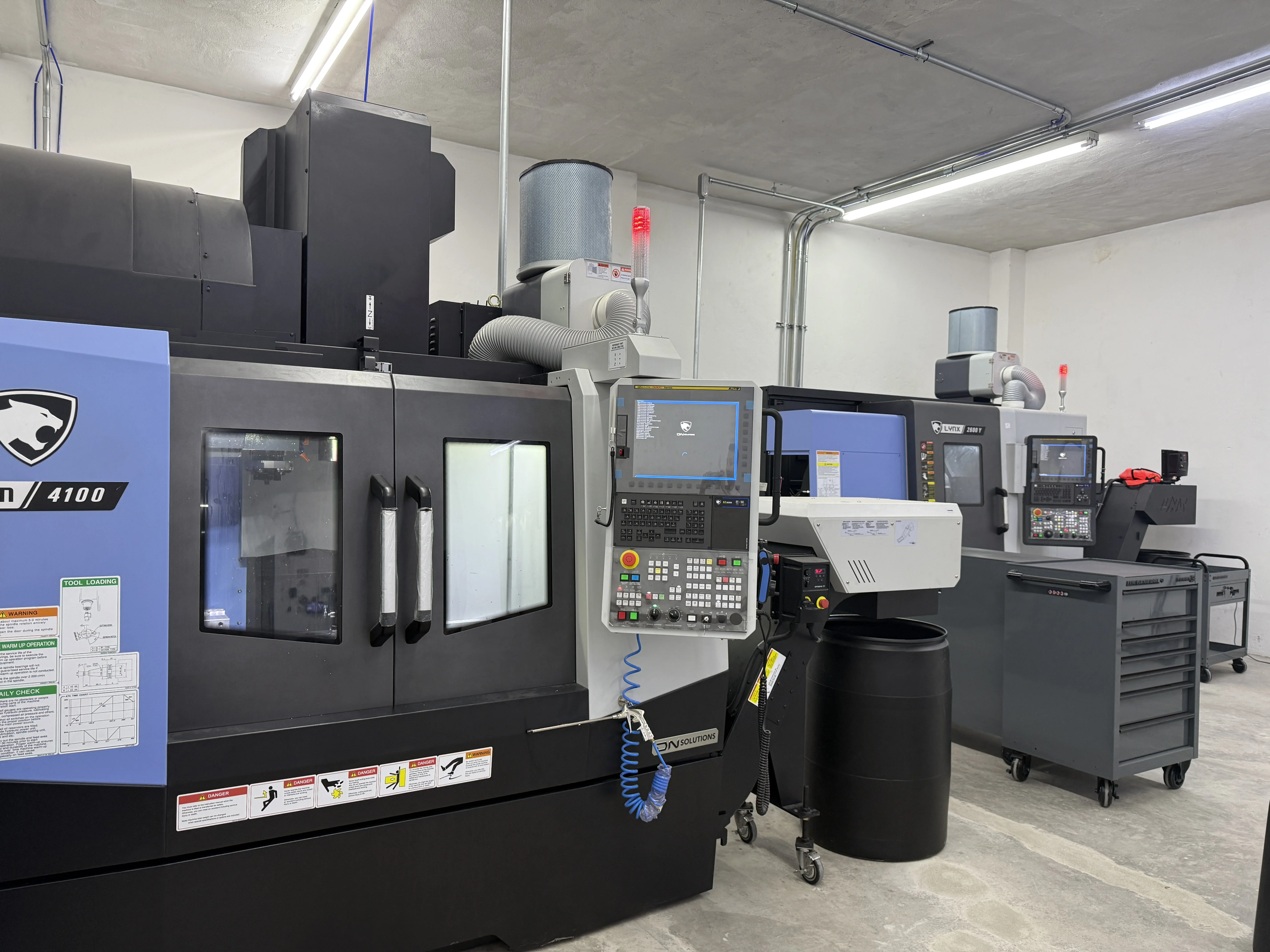
Upload your 3D file, configure your part, see your price instantly, order, and track it until it arrives. CNC machining and 3D printing from 1 part, with our own plant in Monterrey.
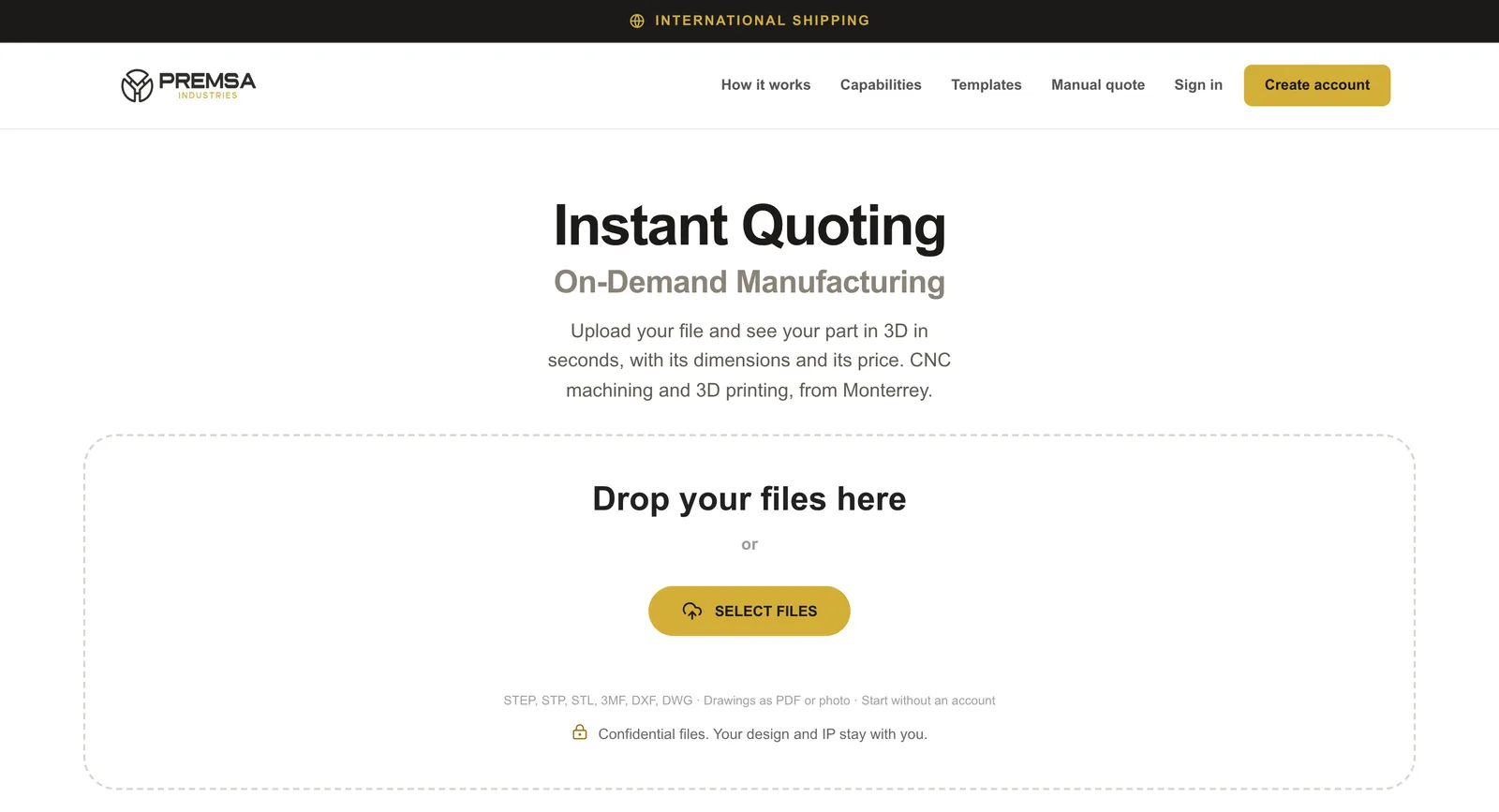
Upload your 3D filesDrag your files here
STEP, STP, STL, 3MF, DXF, DWG · Drawings as PDF or photo · Start without an account
Confidential files. Your design and intellectual property stay yours.
No CAD file? Request a manual quote
The PREMSA portal
Instant CNC machining and 3D printing quotes in six steps
The PREMSA portal is for anyone who needs a part: students, makers, startups, machine shops, engineers and businesses of any size. Quote, order, and track your part there, no emails or calls, any time.
- 1
Upload your file
Drag your file into the portal or pick it from your computer. No account needed to start.
- STEP, STP, STL, 3MF, DXF, and DWG
- PDF drawings or photos, optional
- Your files stay confidential
- 2
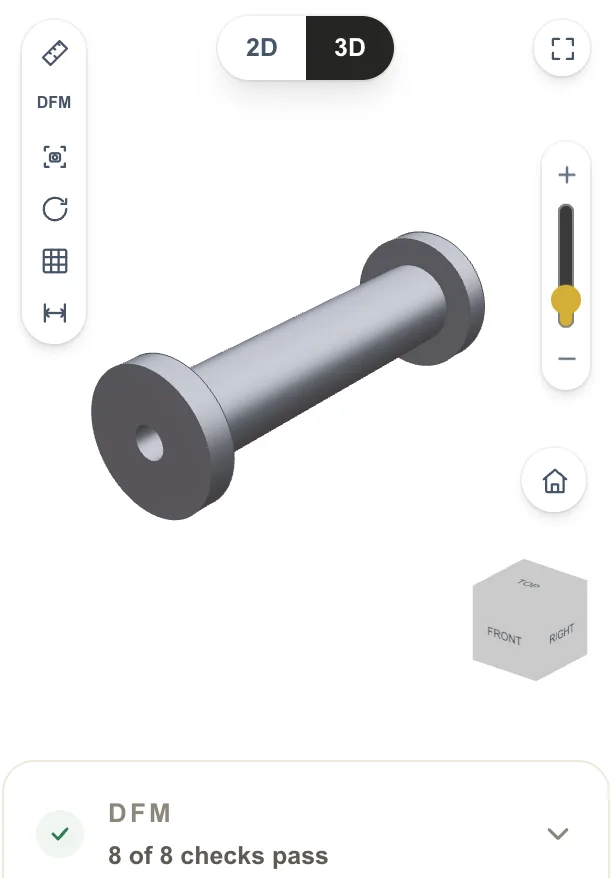
See your part in 3D
Within seconds your part shows up in 3D with its dimensions. The portal checks manufacturability before you order.
- 3D viewer and 2D view
- Measure distances and diameters
- Automatic manufacturability (DFM) check
- 3
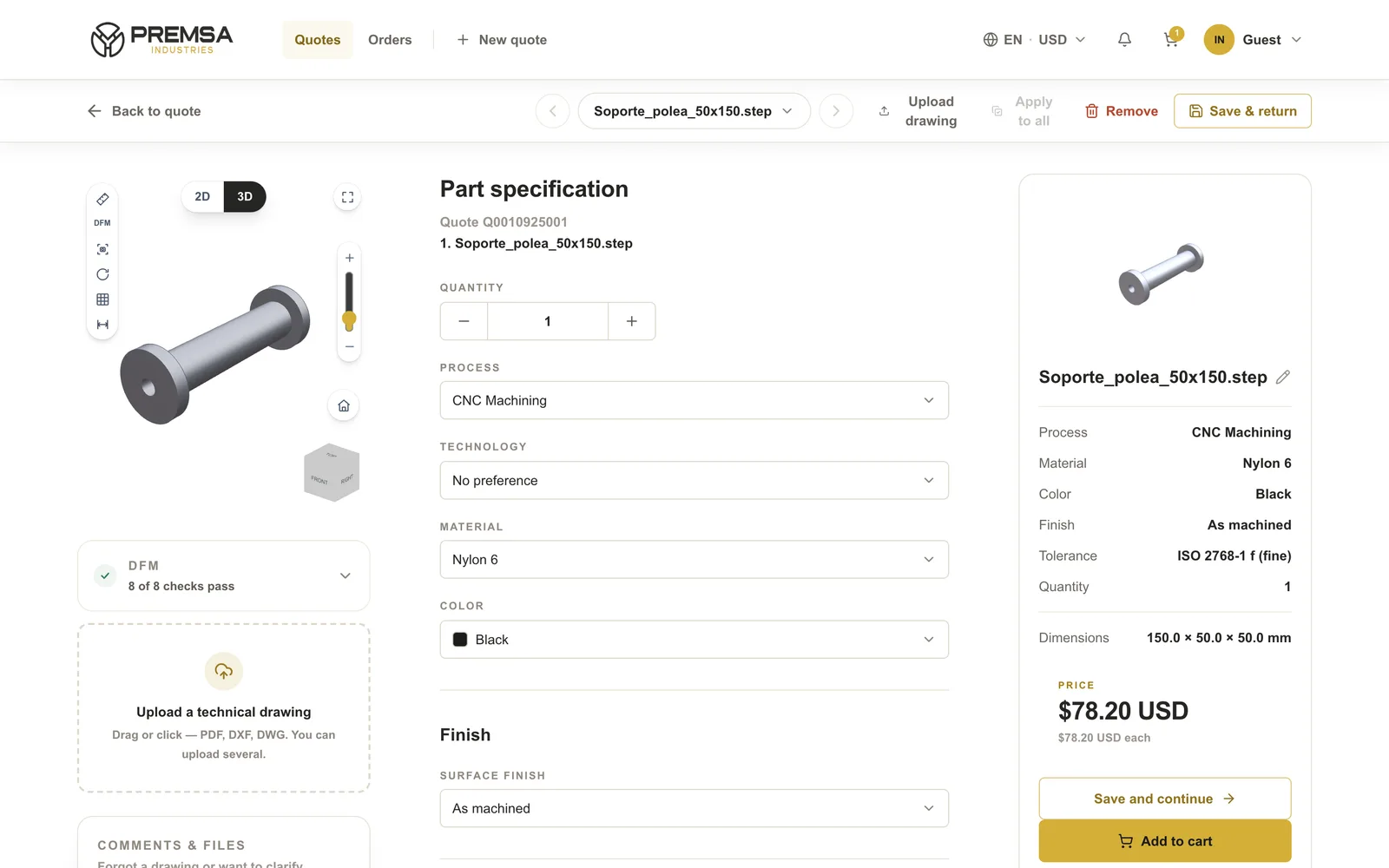
Configure your part
Choose the process, material, finish, tolerance, and quantity. You can add threads, inserts, part marking, and a technical drawing.
- CNC machining (turning and milling) or 3D printing
- Metals and plastics for CNC; PLA, PETG, ABS, ASA, TPU, nylon, and carbon fiber for 3D printing
- From 1 part to production
- 4
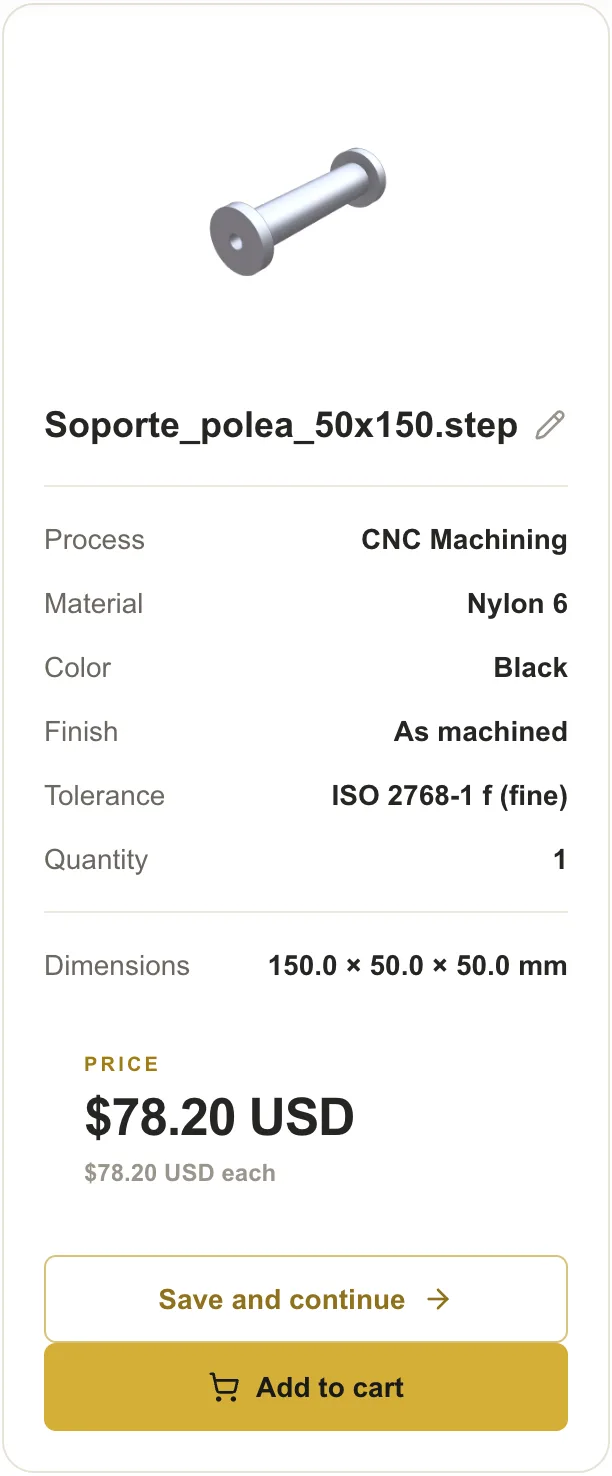
See your price instantly
Price and lead time appear as soon as you configure your part. Change the quantity or material and the price updates on the spot.
- Unit price and total
- Production lead time in business days
- Pricing in USD, MXN, or EUR
Some complex geometries or parts with a technical drawing go to engineering review before the price is confirmed.
- 5
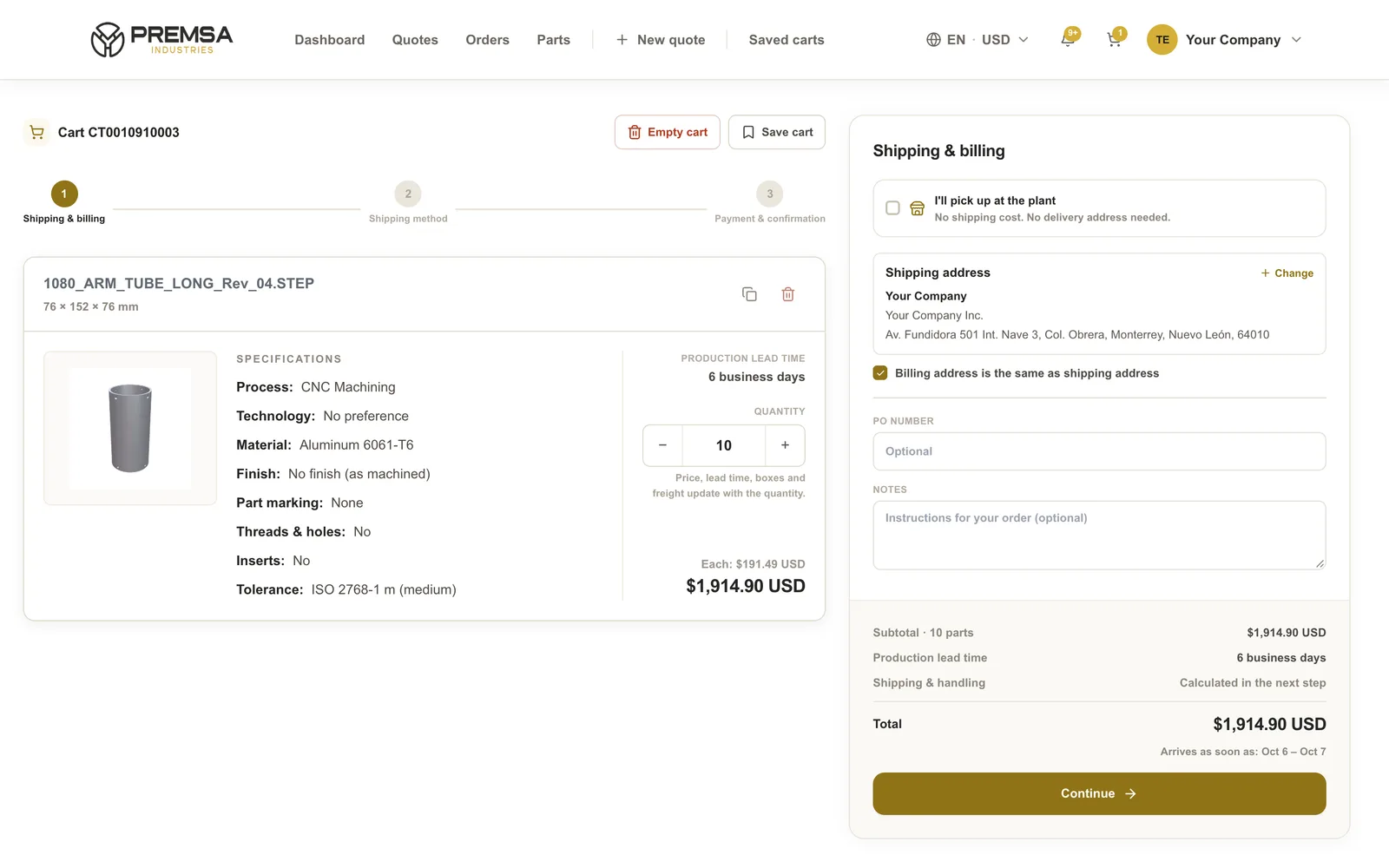
Add to cart and pay
Choose where it ships, pick the carrier, and pay online. Shipping, taxes, and arrival date are calculated before you pay.
- Card or bank transfer
- Invoices issued in Mexico
- Shipping across Mexico and abroad, or plant pickup
- 6
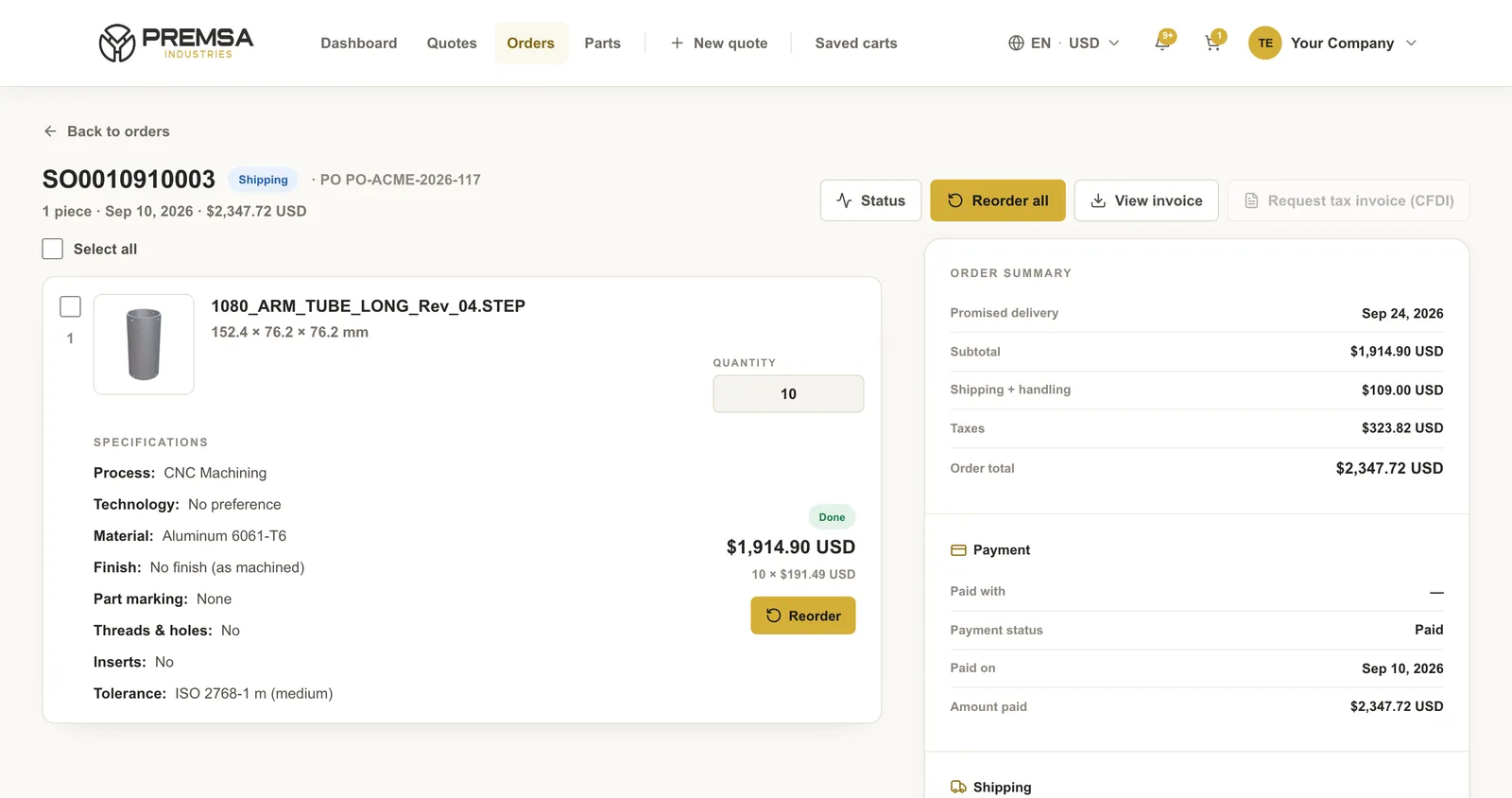
Track your order until it arrives
Your account shows the stage of every order: payment, material, production, inspection, and shipping, with the carrier tracking number.
- Real-time order status
- Sales order, invoice, and documents
- Reorder the same part in one click
FAQ
Questions about the portal
- Do I need an account to get a quote?
- No. Upload your file and see your part and its price without an account. We only ask for your details when you order or save your quote.
- How long does it take to get a price?
- Seconds. Once your part loads and you choose the configuration, the portal calculates the price and lead time.
- Can I order a single part?
- Yes. We make everything from 1 part to production, and the unit price drops as quantity goes up.
- Which files does the portal accept?
- STEP, STP, STL, 3MF, DXF, and DWG. For CNC machining we recommend STEP; for 3D printing, STL or 3MF also work. You can add a PDF drawing or a photo.
- How do I pay for my order?
- By card or bank transfer, right in the portal. We invoice in Mexico and you can pay in USD, MXN, or EUR.
- Where do you ship?
- Across Mexico and internationally. You can also pick up your order at our plant in Monterrey.
Got a part in mind?
Upload it and we’ll make it real. One part or a thousand.